Library: Downloading Your Survey Data
 Related Video: Download, View, or Delete Data
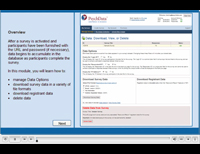
When you are ready to download the data from your survey, you can select from the following file formats.
SPSS
This option produces a data file (filename.sav) for SPSS versions 14+. This file type includes variable names, variable labels, answer values, etc. Variable names are automatically modified for compatibility with SPSS. All SPSS files are compressed and delivered as a ZIP file (filename.zip).
Excel
This option produces a data file (filename.xls) for Microsoft Excel, versions 2002 and newer. An Excel file can contain multiple workbooks and each workbook is limited to 256 columns. If your data file contains more than 256 columns, a new workbook will be added each time this limit is reached. Please note that Excel may automatically format data incorrectly (e.g., turning 1-1 into Jan 1). All Excel files are compressed and delivered as a ZIP file (filename.zip).
Tab Delimited
This option produces a universal database text file (filname.txt) with one TAB character separating each value. This file type contains no "text qualifiers". The tab delimited data file can be imported into any software program.
Comma Separated Values (CSV)
This option produces a universal database text file (filname.csv) where each value is separate by a quote-comma-quote triad (i.e., ","). The comma is considered the text "delimiter" and the quotation mark is considered the "text qualifier". The CSV data file can be imported into any software program and is automatically recognized by Microsoft Excel. Please note that Excel is limited to 256 columns (i.e., variables) whereas the CSV file may contain more.
SPSS Data Export Information
PsychData’s SPSS data download is compatible with current versions of SPSS and is based on SPSS-19 export standards, which include support for international characters. Because SPSS has rigid file formatting requirements, it is important to understand how your data file is created.
Variable Naming Conventions
PsychData uses the raw question text as the variable name in all data exports. SPSS limits variable names to alpha-numeric ASCII characters and disallows special characters, symbols, spaces or Unicode characters. To meet SPSS requirements, we concatenate the text (remove spaces), remove disallowed characters, and append a prefix of “V#” where “#” is a distinct and incrementing integer number. This process ensures that each Variable Name is unique (as SPSS requires) and that variable names are created in a consistent manner. If all characters of a question are disallowed, we set the the Variable Name to “V#” (e.g., “V14”).
Variable Labels
In SPSS, Variable Labels may contain international characters and do not need to be distinct. The Variable Label is typically the entire question up to the character limit imposed by SPSS.
Field Length
All “Free Response” question types in PsychData have a character limit (e.g., 2, 10, 100, etc.). Each question type’s field length defines the variable length in SPSS. As a general rule, all text entered by a participant will be included in your SPSS data file, but there are some important exceptions to be aware of:
- Truncated Text Notification: In the unlikely event that a free-response is truncated during the export to SPSS, the following will be appended to the end of the response: {TRUNCATED_BY_SPSS}.
- Changing Question Types: If a question type is changed such that the character limit is reduced (e.g., 28,000 is changed to 1,000) AND existing data includes a response with more than 1,000 characters, the response will be truncated at 1,000 characters in SPSS.
- Non-western international language characters (e.g., Japanese): Non-western language characters typically take up more space (bytes) than western characters. For example, a single western-language character uses 1 byte of storage space whereas a single Japanese character require 3 bytes of space. This only becomes a problem when exporting very long responses in a non-western language. The maximum answer-length in PsychData is 28,000 characters whereas SPSS has a maximum field size of 32,000 bytes. Here is an example of how this would be handled during export:
- For example, a Japanese text-response of 28,000 characters (the max allowed in PsychData) would represent approximately 84,000 bytes of information. Because SPSS will only accept 32,000 bytes of information, the response would be truncated at the maximum allowed length, thereby displaying approximately 10,666 Japanese characters.
- In the rare event that a free-text response was truncated, you can access the full response via any of our other export formats (xls, xlsx, txt, or csv).
Library: Articles and Videos
All Video Tutorials
Download to SPSS
Save and Return
IRB Application Tips
Identifying Info
Question Logic
Using Video in Surveys
Using Images as Answers
Random Stimulus
FAQ
Security Statement
Privacy Policy
Terms of Agreement
Compare Us
Sample Questions
Using Copyrighted Materials
Researcher Tips
Comparision
Link to PsychData
Create Account
Testimonials
"I would recommend using PsychData for any online data collection... I would use the service again and definitely recommend it to others!"
"I found the administrative support to be extremely helpful in answering any questions. I will be using PsychData again for my next online survey."
read more...